
Checking for a Warrant in Winters
For a Winters traffic or ordinance case, the municipal court is the place to ask. Its contact listing shows 310 S. Main and k.odell@winterstx.org, with the main line at 325-754-4424. Winters publishes no warrant search page. There is no online citation portal, surrender form, or bond schedule either, so the clerk is the route.
- Find the citation or cause number and read the court name.
- Call City Hall at 325-754-4424 and ask for the municipal-court clerk.
- Confirm whether the record shows a pending ticket, FTA, bench warrant, or capias pro fine.
- Ask for the amount, hearing date, payment or reset steps, and whether attendance is required.
- If the city directs a written request, use its transparency form or ask how to submit it.
Winters Warrant Address Check
Here is a detail that trips people up. Winters City Hall and the municipal court sit at 310 S. Main, but a local police contact listing gives the Winters Police Department a different number, 312 S. Main, along with a police email. Two street numbers, two offices. Before walking in, call 325-754-4424 and ask which counter handles your question, court or police, because the two do not share an entrance or a records function. The city's own home page is the current route for City Hall details, and its building and contact footer appear on the official Winters site, which lists the city address and phone for anyone checking.

Use the city contact before travelling to verify the right public counter.
Winters Police and Municipal Court
The court contact is listed at 310 S. Main. Winters police appear separately at 312 S. Main, with g.salas@winterstx.org on a local police contact listing. City Hall itself uses info@winterstx.org and citywin@wtxs.net. For a city citation, ask the court clerk first. Police can route law-enforcement questions, but the department does not set fines or court dates; that is the clerk's side of the house.
Ask which office handles the current police contact before relying on a street number.
Winters Warrant Questions Before Friday Visits
Winters City Hall is listed as open Monday through Thursday, 8 a.m. to 5 p.m., and Friday, 8 a.m. to noon. Those are building hours only. They do not promise a municipal-court clerk or a police records person is at the desk the whole time. The city page posts the current phone and hours but no separate warrant-counter schedule, so a walk-in built on guesswork can waste a trip. If a court date or warrant question is urgent, call ahead and pin down a clerk who can actually pull the file. Plan the visit around a confirmed contact, not around the assumption that everyone in the building handles court status. A short Friday morning window closes fast.
Winters Warrant Types
Winters Municipal Court handles city traffic and ordinance matters. Miss a court date, and failure to appear can bring an FTA or bench-style order. Leave a Class C fine unpaid after judgment, and Texas law allows capias pro fine process. Winters publishes no local list or glossary of warrant labels, so ask the clerk what the actual court record calls it.
| City matter | Possible process | First contact |
|---|---|---|
| Traffic ticket | FTA or capias pro fine after required process | Winters Municipal Court |
| Ordinance case | Bench-style order for missed setting | Municipal clerk |
| Unpaid judgment | Capias pro fine under Chapter 45A | Municipal clerk |
| Pending citation | No warrant unless court process is issued | Municipal clerk |
Winters Warrant Record Request Form
The city's transparency page links a Public Records Request Form and says requests can be made online or in person at 310 S. Main during regular business hours. The page does not describe a warrant search. Keep expectations straight: a public-information request asks for an existing record, not a same-day status screen. Write down the citation or cause number, the date range, and the record you want. Ask whether a municipal-court file needs a different form. The page also links to the Texas Public Information Act and gives a city contact route, and you can see the request route at the Winters transparency page.
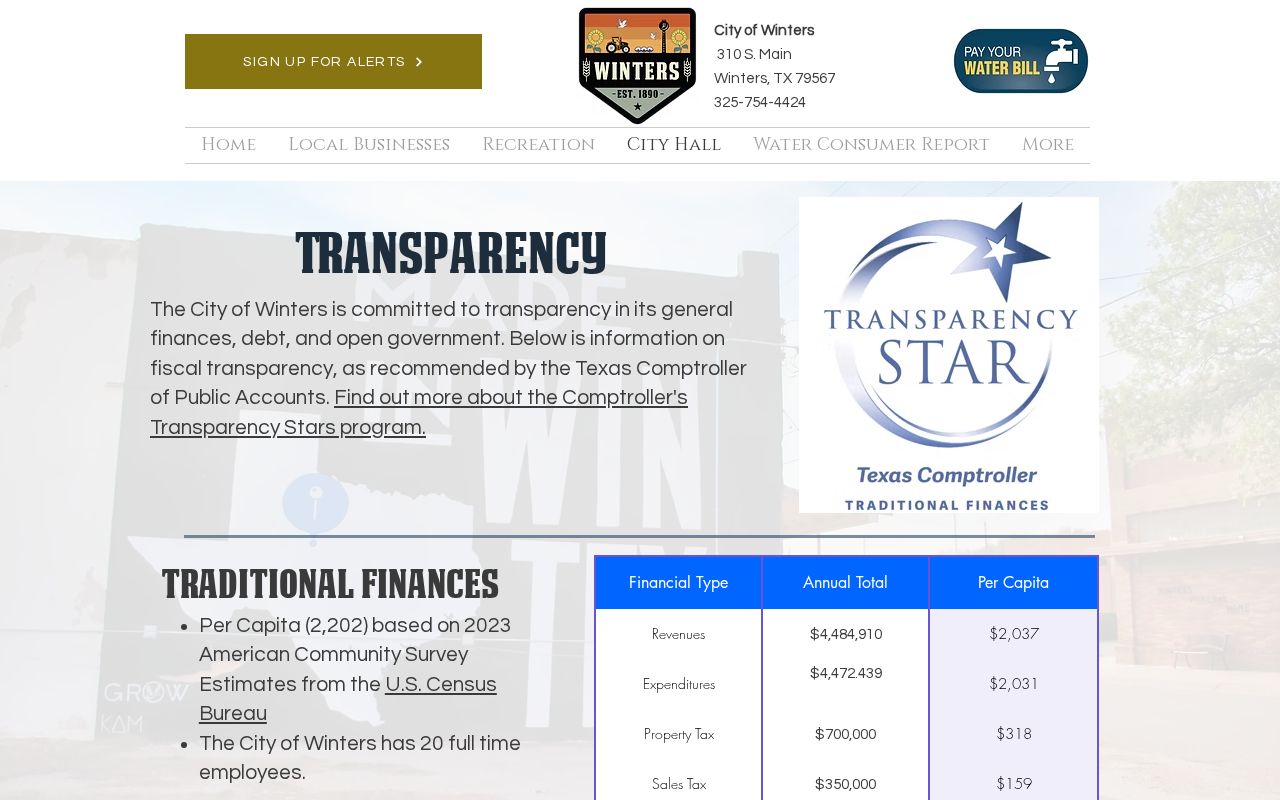
Use the official Winters form for a narrowly scoped request, and keep a copy of whatever you submit.
Inside a Winters Warrant Record
A warrant record may tie a process to a citation, a court cause number, an offense, a judge, a fine, a bond, or a service return. Winters publishes no sample record or number format. Ask the clerk which fields the actual file carries. Also ask whether an appearance is still required after any payment, because paying alone may not recall a warrant.
| Cause or ticket | Identifies the Winters court file. |
|---|---|
| Process label | Ask whether the clerk records FTA, bench warrant, or capias pro fine. |
| Fine / bond | Confirm the exact amount and accepted route with the clerk. |
| Status | Ask whether active, served, recalled, or closed. |
Winters Warrant Court Contact Check
Here is a trap worth knowing. An older OCA municipal-court directory lists a Winters number with a 915 area code, but the current city contact is 325-754-4424. Treat the directory entry as historical. Phone-confirm the current court route rather than trusting the old number, and note that Winters offers no online citation portal or public warrant list. Current office details sit on the city home page, and the court contact also appears in an official local listing. Before sharing a case number, ask City Hall to connect you with the municipal clerk.
How Winters Warrants Fit the County System
Winters Municipal Court controls city citations and any city bench or capias-pro-fine process. A JP or district case belongs to a separate county court. The county Sheriff may field questions about service or custody. For the wider map, turn to Runnels County warrant records, or try the county traffic warrant search for the county-level check.
Winters Warrant Types in Traffic Cases
A Winters traffic ticket starts with a response date or a court setting. Miss it, and the case can turn into an FTA or an unsatisfied judgment. At that point the Winters court may issue authorized process, which can include a capias pro fine. Texas Chapter 45A builds in notice and undue-hardship protections for covered Class C matters. Before you act, ask the clerk what fits your case: a voluntary appearance, a payment plan, a reset, or a personal hearing. Do not route money through a vendor or another office until you confirm the citation and its current status. Winters publishes no payment fields, no warrant-lift form, and no bond schedule. Keep your receipt, and ask when the court itself will update its own case record.
Winters Warrant Records and Public Access
Texas public-information law generally opens existing city records to the public, though exceptions apply. Executed warrant material may be available, while juvenile, sealed, or active-investigation files can stay restricted. Frame any Winters request around one specific record. The city cannot be asked to make a new legal finding.
Access rules:
Texas Government Code §552.021 provides the general right to inspect public information, subject to statutory exceptions.
Code of Criminal Procedure art. 15.26 covers inspection after execution.
Family Code §58.010 makes juvenile arrest-warrant records confidential.
Winters Warrant Records and City Setting
Winters sits in north-central Runnels County along U.S. 83 and Farm Roads 1770 and 53. The town's story is agriculture and Elm Creek Reservoir, as its official history page recounts. That civic background does not create a warrant portal. It does help you tell city services apart from a regional court or sheriff record. Have a court question? Call City Hall and ask for the municipal clerk. For a written record request, use the transparency page or ask Winters for its current submission instructions.

Use the city's own site for civic context, and let the Winters court clerk handle case status.